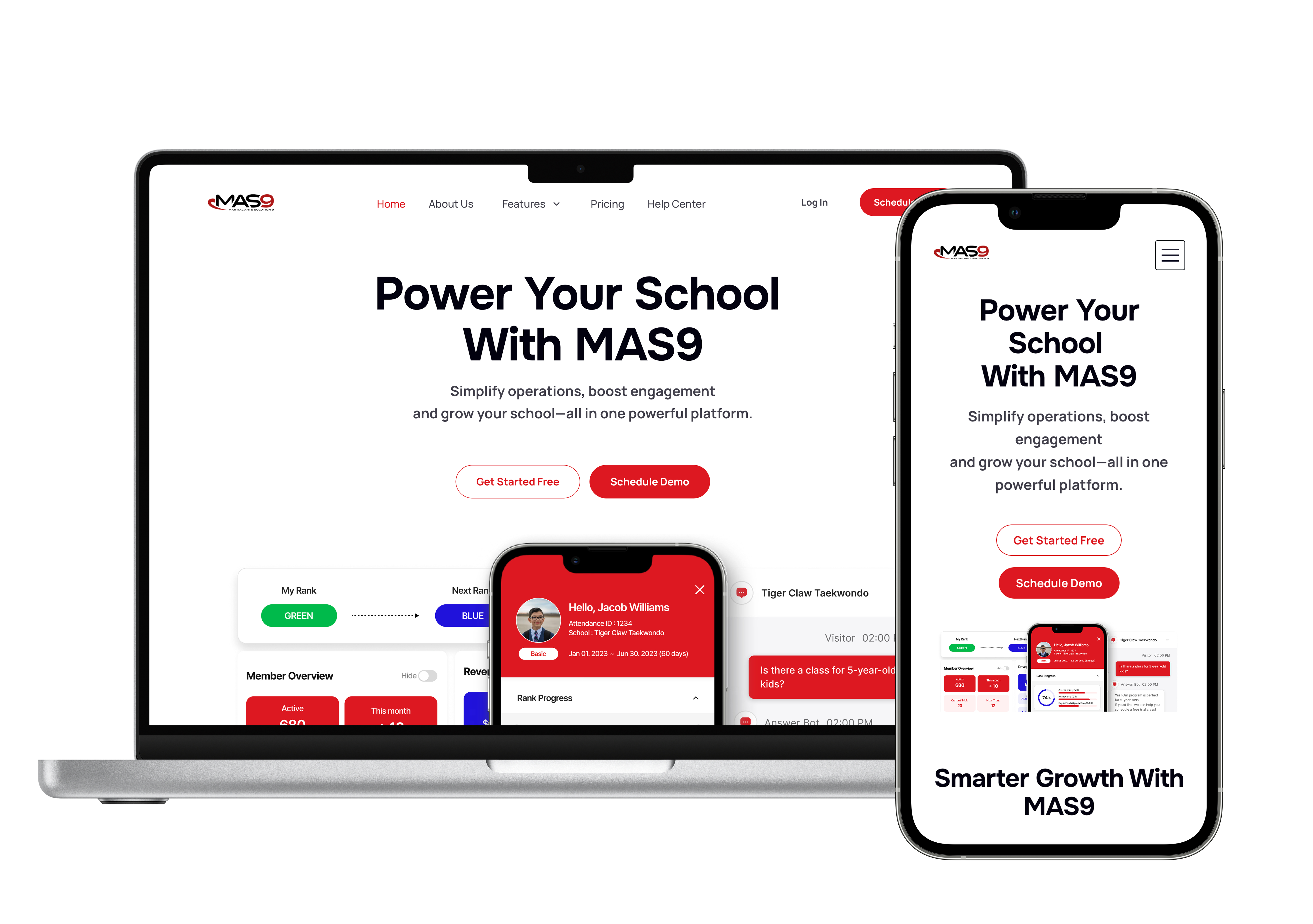
Designing Registration and AI Messaging Experiences for MAS9
Designing foundational workflows for a martial arts school management platform
Context
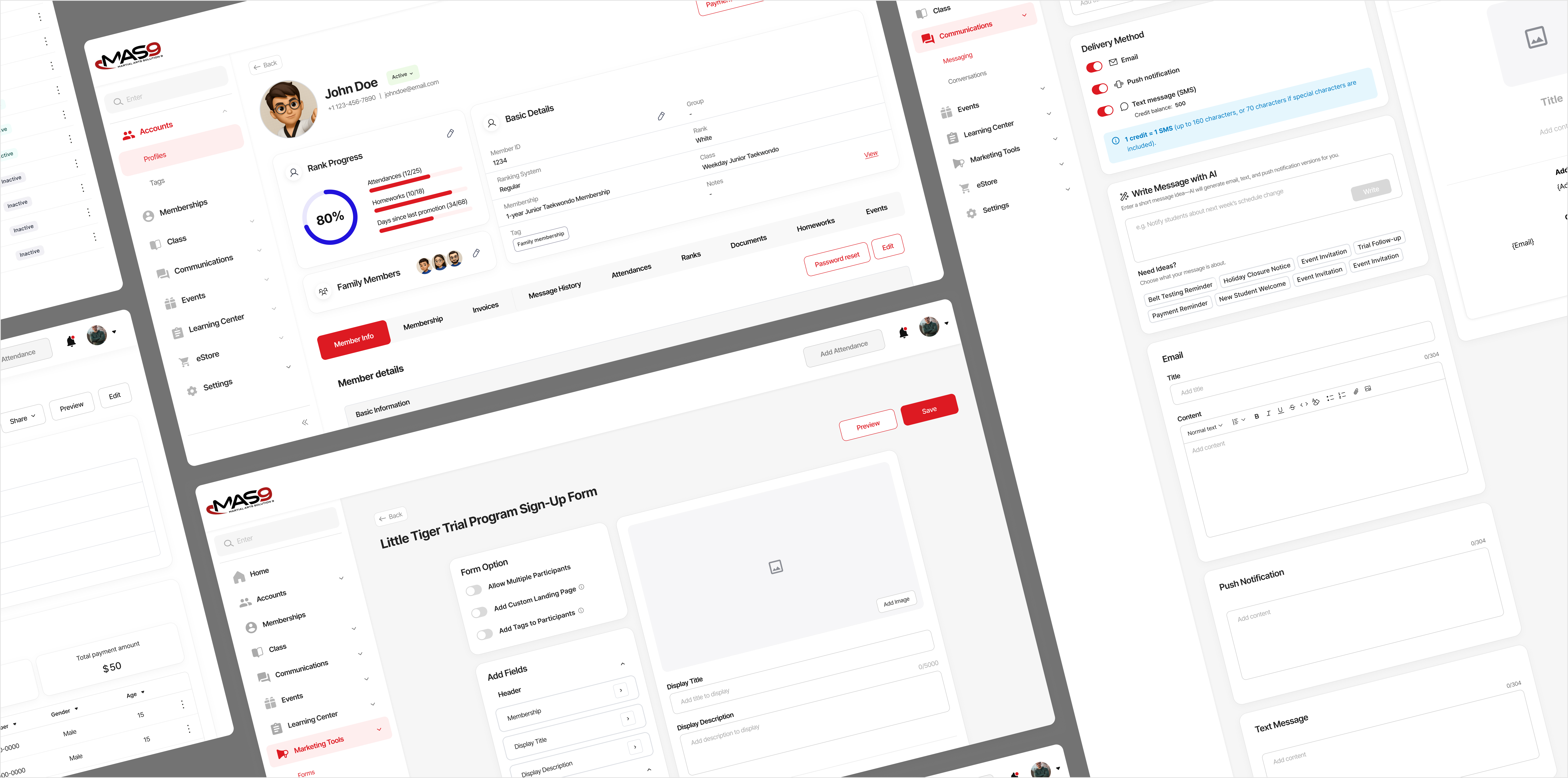
In early 2025, I joined MAS9 as a Product Designer, when the platform already had a range of features built out but not around how school administrators actually worked. Core tasks like collecting registrations and handling daily inquiries were still managed manually outside the platform, creating fragmented workflows and significant operational overhead.
Industry Context
Why Martial Arts School Operations Are Different
Martial arts schools often manage not just individual students, but entire families. This creates workflows that differ from a typical appointment-based business.
These operational patterns shaped how I approached MAS9’s core workflows, starting with registration.
Project 01
Registration System
Problem
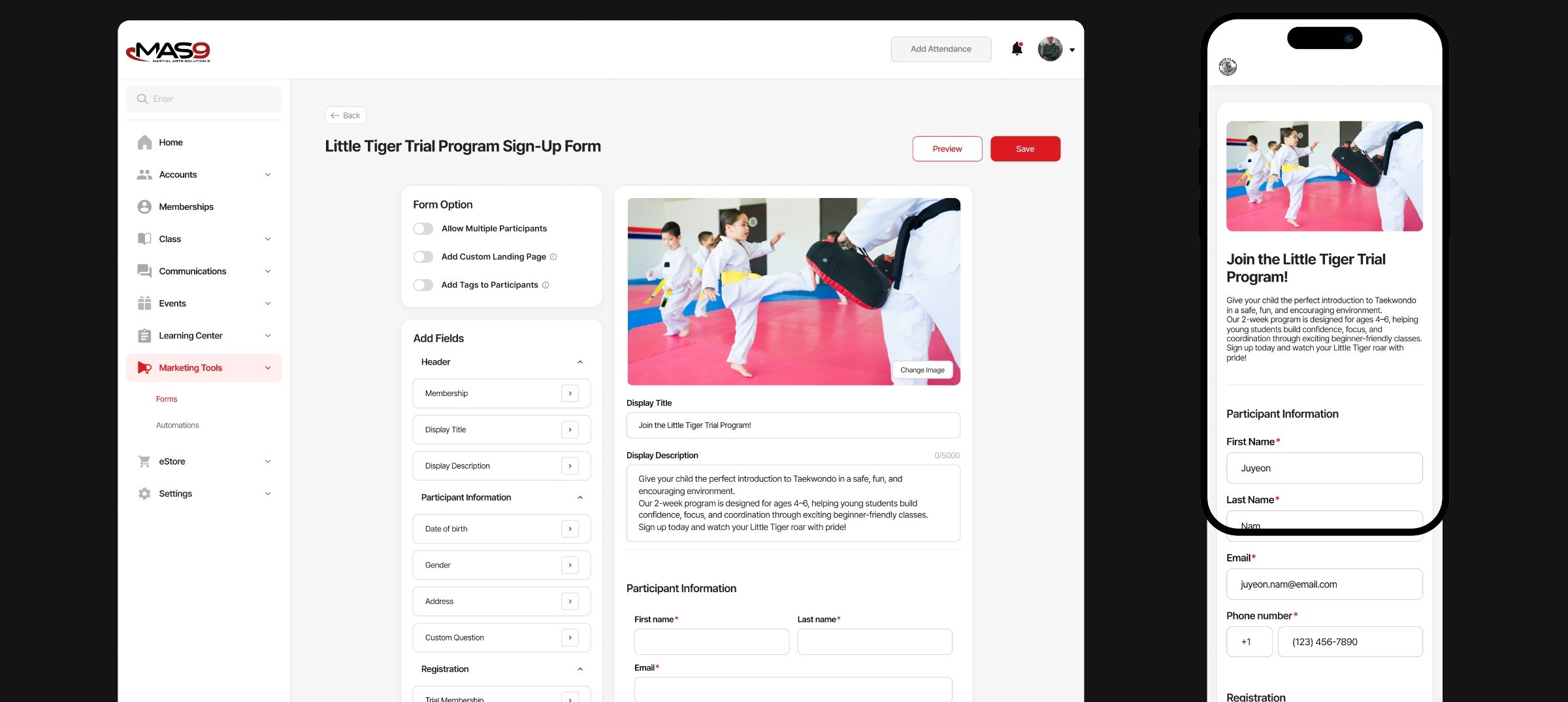
Schools needed a shareable registration link that could support different scenarios—from memberships and trial enrollments to event sign-ups for both existing members and new participants—but MAS9 had no unified registration system.
As a result, administrators had to manage registrations manually across programs and participant types, creating growing operational overhead as schools scaled.
Approach
Key Insights
Through onboarding calls and direct feedback from school operators, I identified two requirements that shaped the registration system.
01
Admins needed flexibility without complexitySchools needed forms for different use cases—events, memberships, trials, and lead capture—but administrators could quickly become overwhelmed by complex configuration.02
Families needed to register multiple participants at onceParents often registered on behalf of their children, sometimes for multiple children in the same session. The system therefore needed to separate the contact from the participant while keeping the experience simple.Design Principles
01
Flexible across school operationsSupport diverse programs in one system.02
Keep admin setup lightweightMinimize setup and configuration.03
Support different registration relationshipsEnable self-registration and registration for others.Solution
01
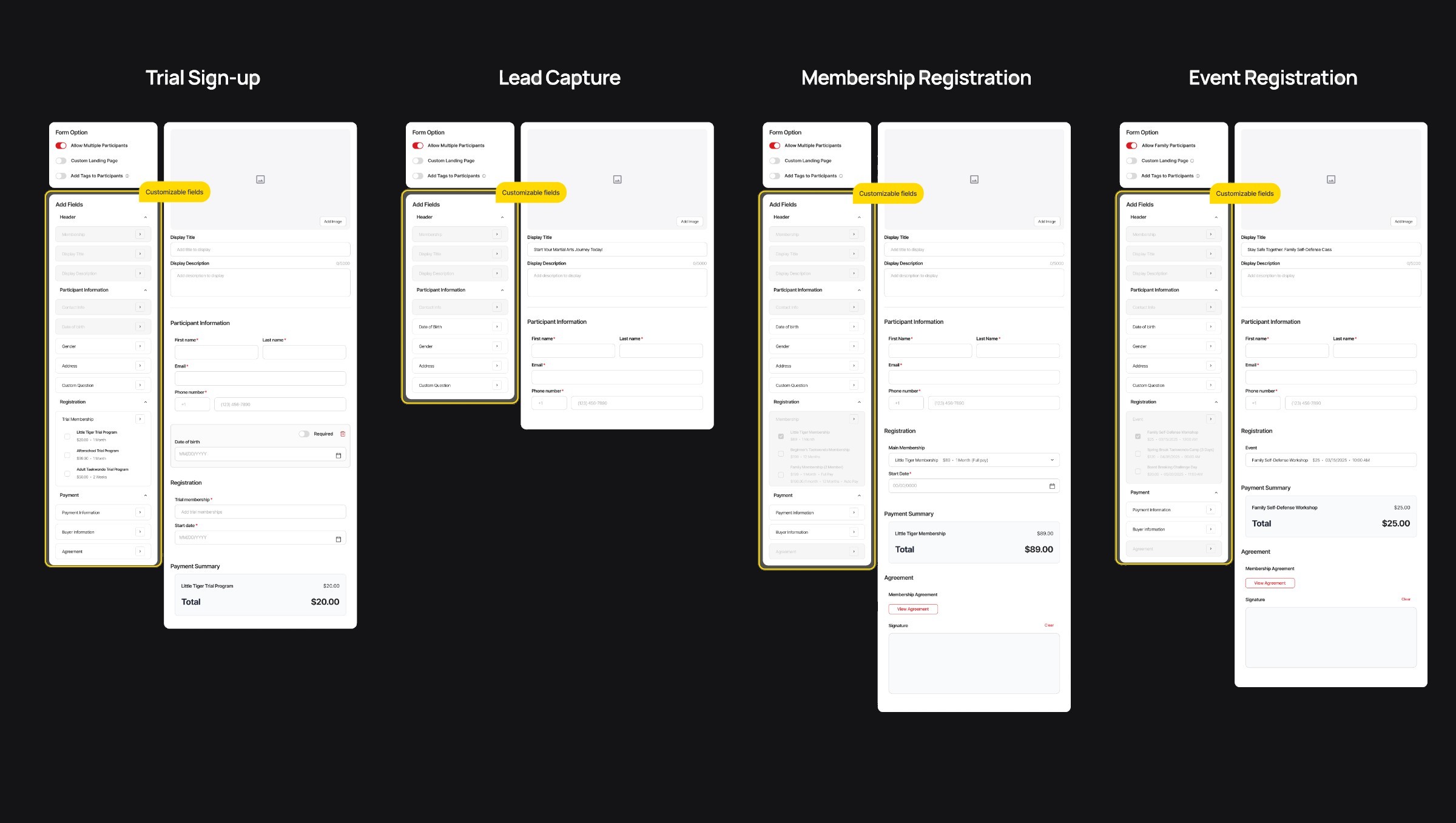
Templates Over Open-Ended Configuration
Ready-made templates for trials, lead capture, memberships, and events gave admins a clear starting point while still allowing fields to be customized.
I considered a fully custom form builder, but early feedback showed that open-ended configuration increased setup friction. A template-based approach offered enough flexibility without adding unnecessary complexity.
02
Designing for Family-Based Registration
Support the way parents actually register on behalf of children.
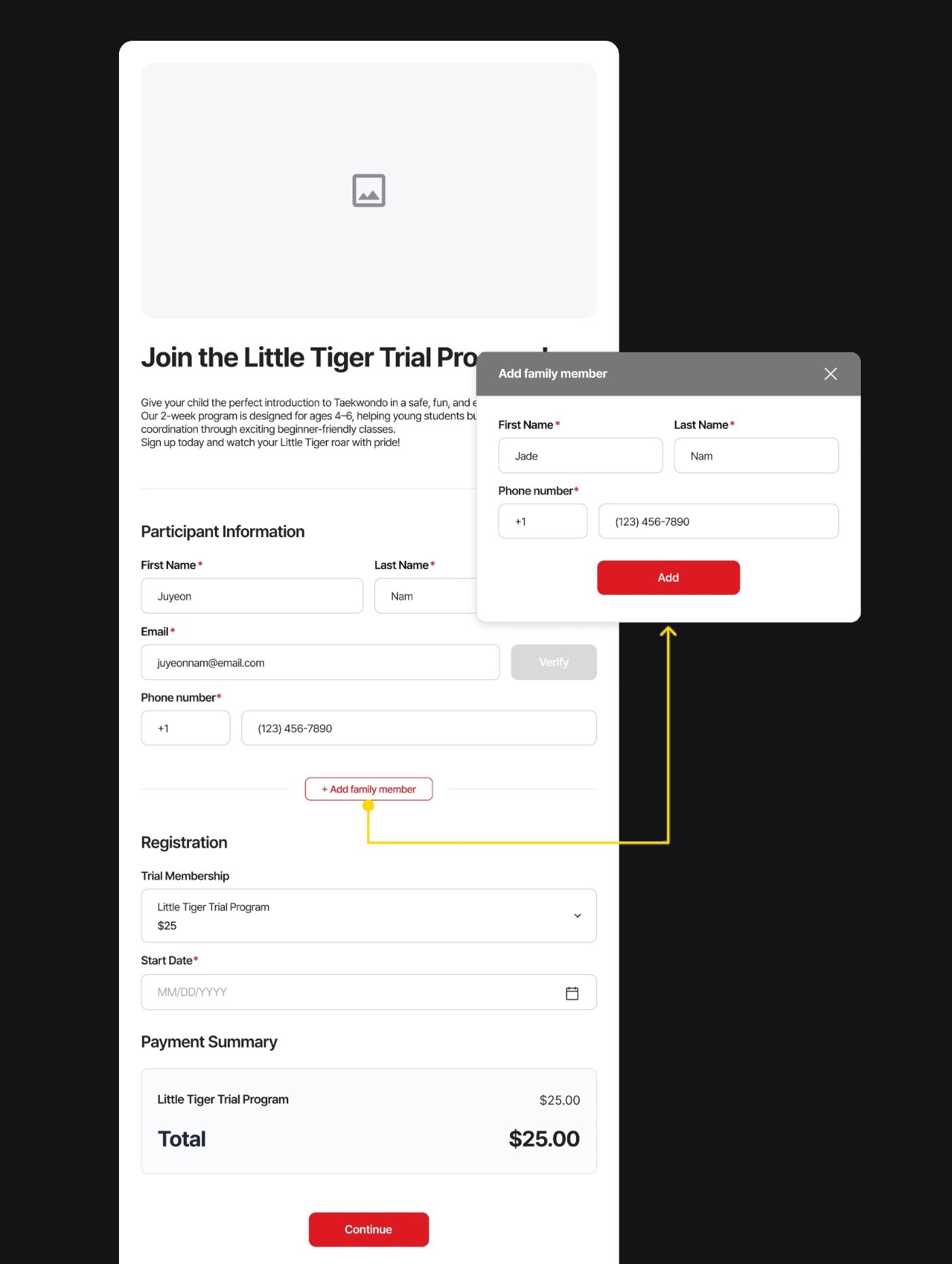
Multiple family members in one session
Parents could add and register multiple family members within one flow, avoiding repeated form submissions.
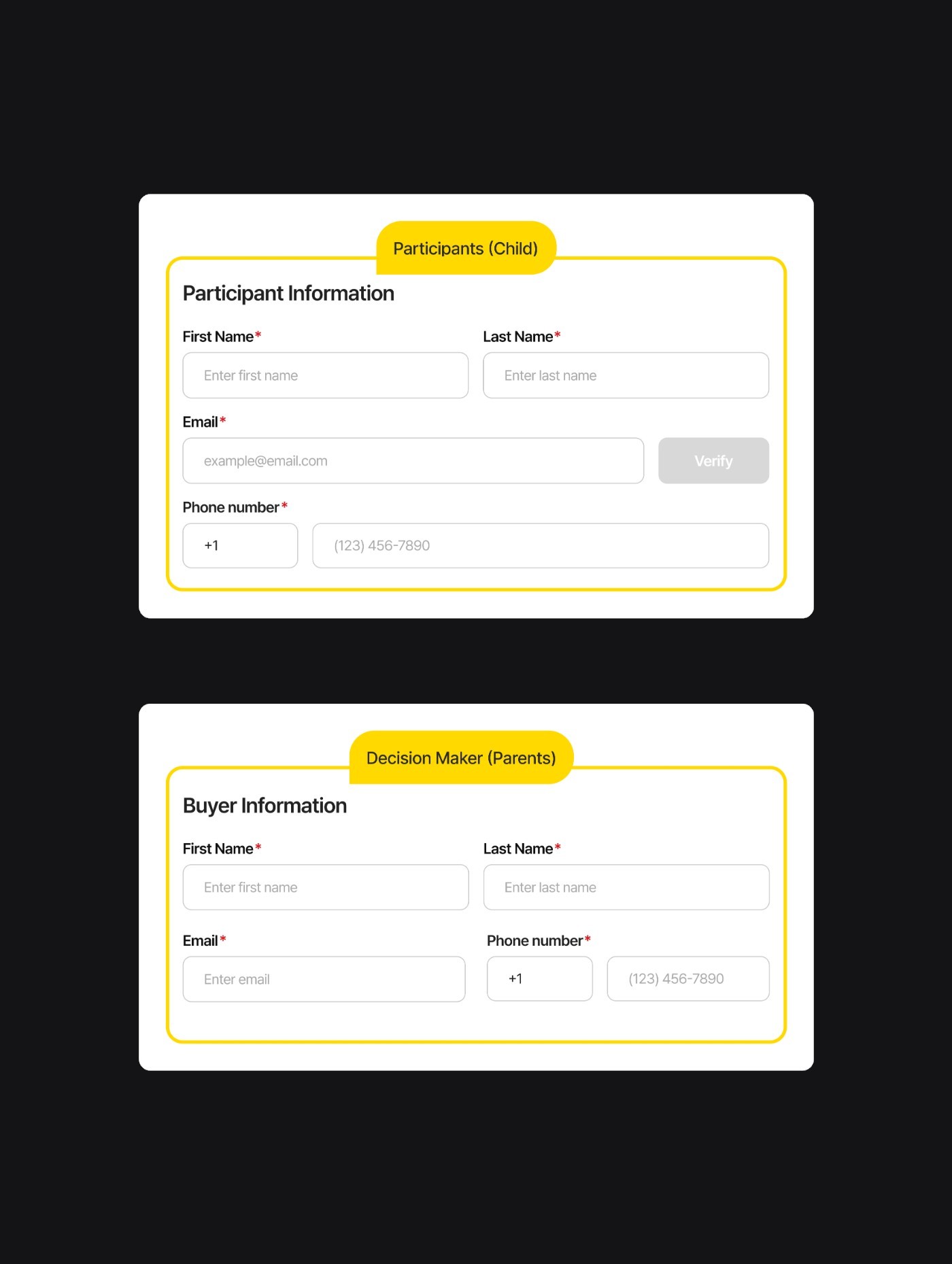
Separate contact and participant information
Separated parent and participant data to reduce duplication and keep registration records accurate.
Result & Learnings
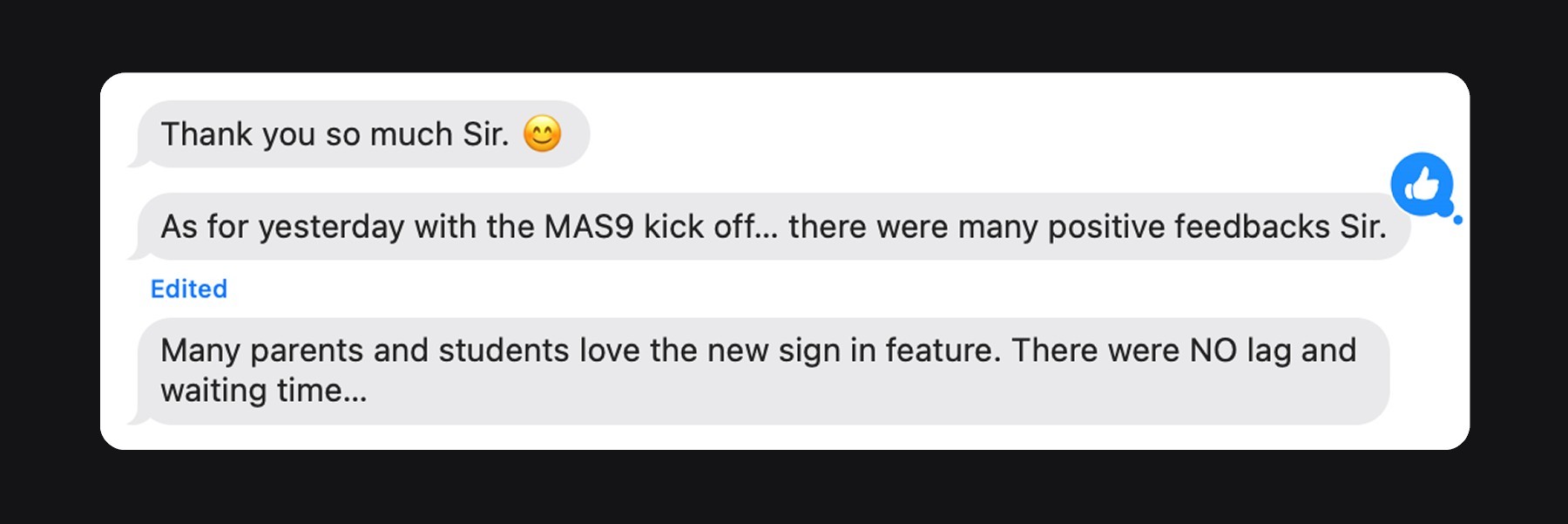
Impact
What I Learned
Flexibility needs structure.
Supporting diverse school workflows didn’t mean giving admins unlimited configuration. Strong defaults and templates made the system flexible without making setup overwhelming.
Next Iteration
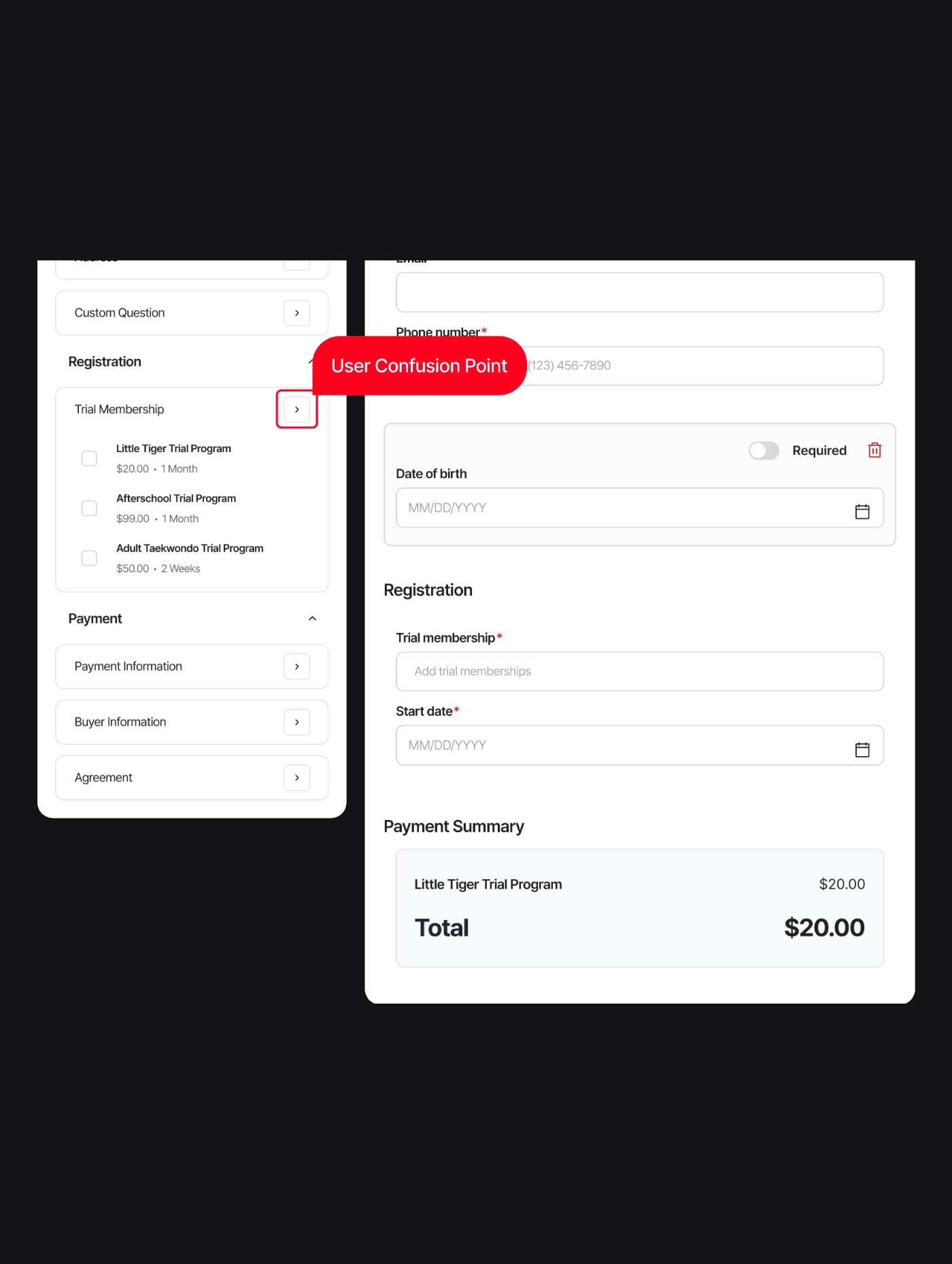
Post-launch feedback also revealed that some click-to-add interactions lacked clear visual affordance. I would make these actions more explicit with “+” controls and lightweight first-time guidance.
Project 02
Messaging System + AI Assistant
Problem
First Design Response
Unify Communication
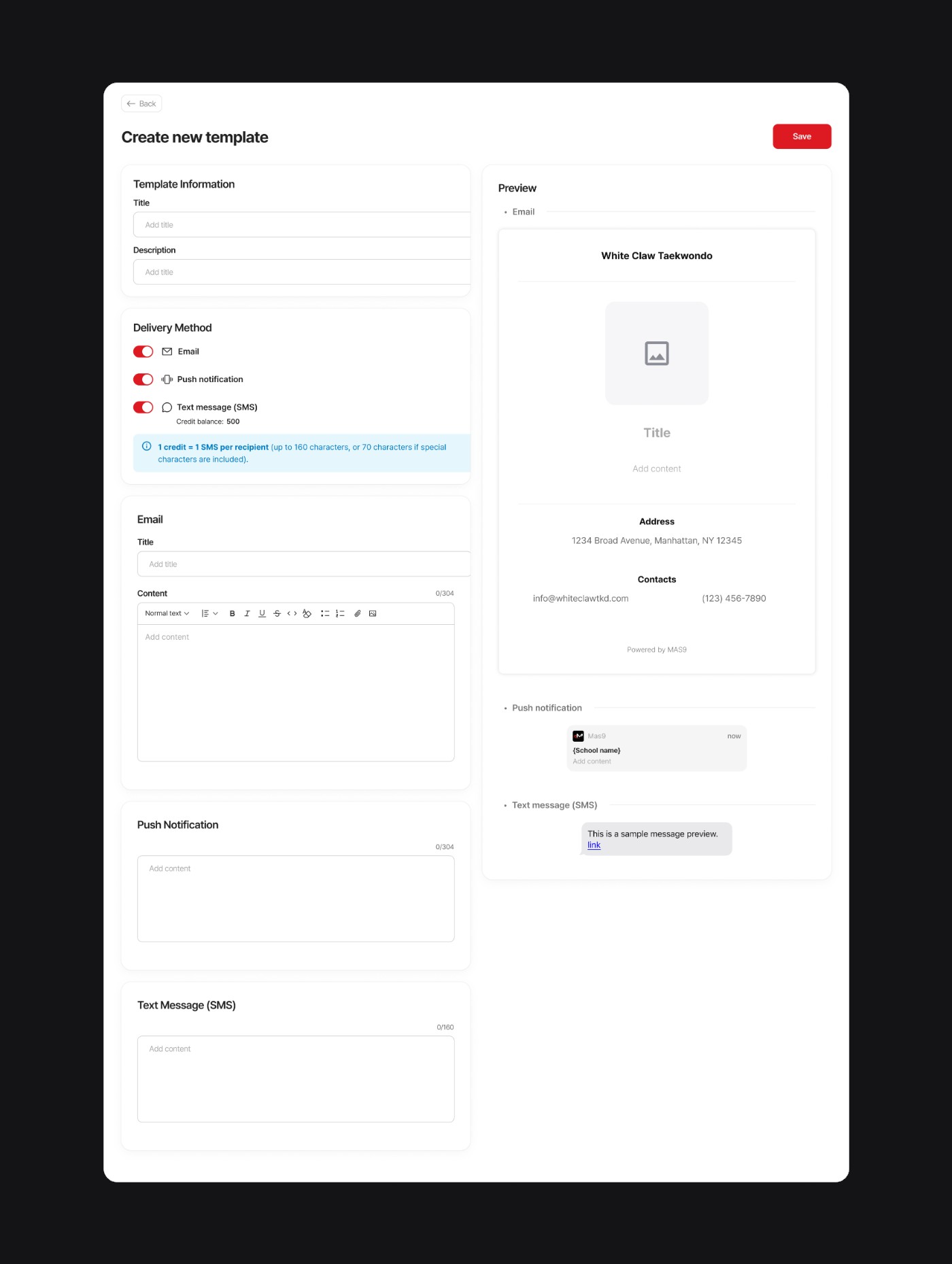
Email, SMS, and push notifications were brought into one place so admins could write and send messages from a single screen.
New Problem Discovered
Writing Was Still Repetitive
Even after unifying communication, admins were still rewriting recurring announcements for each channel.
Approach
Key Insight
Admins were repeatedly adapting similar messages for different purposes and channels. The opportunity was not to replace writing entirely, but to help them generate a strong first draft from known context.
Why AI
Choosing the Right Balance Between Structure and Flexibility
Admins needed enough structure to avoid starting from scratch, but enough flexibility to adapt messages across different situations and channels.
01
Templates were too rigid.02
Open-ended chatbots were too unstructured.03
Structured AI offered guided flexibility.Design Direction
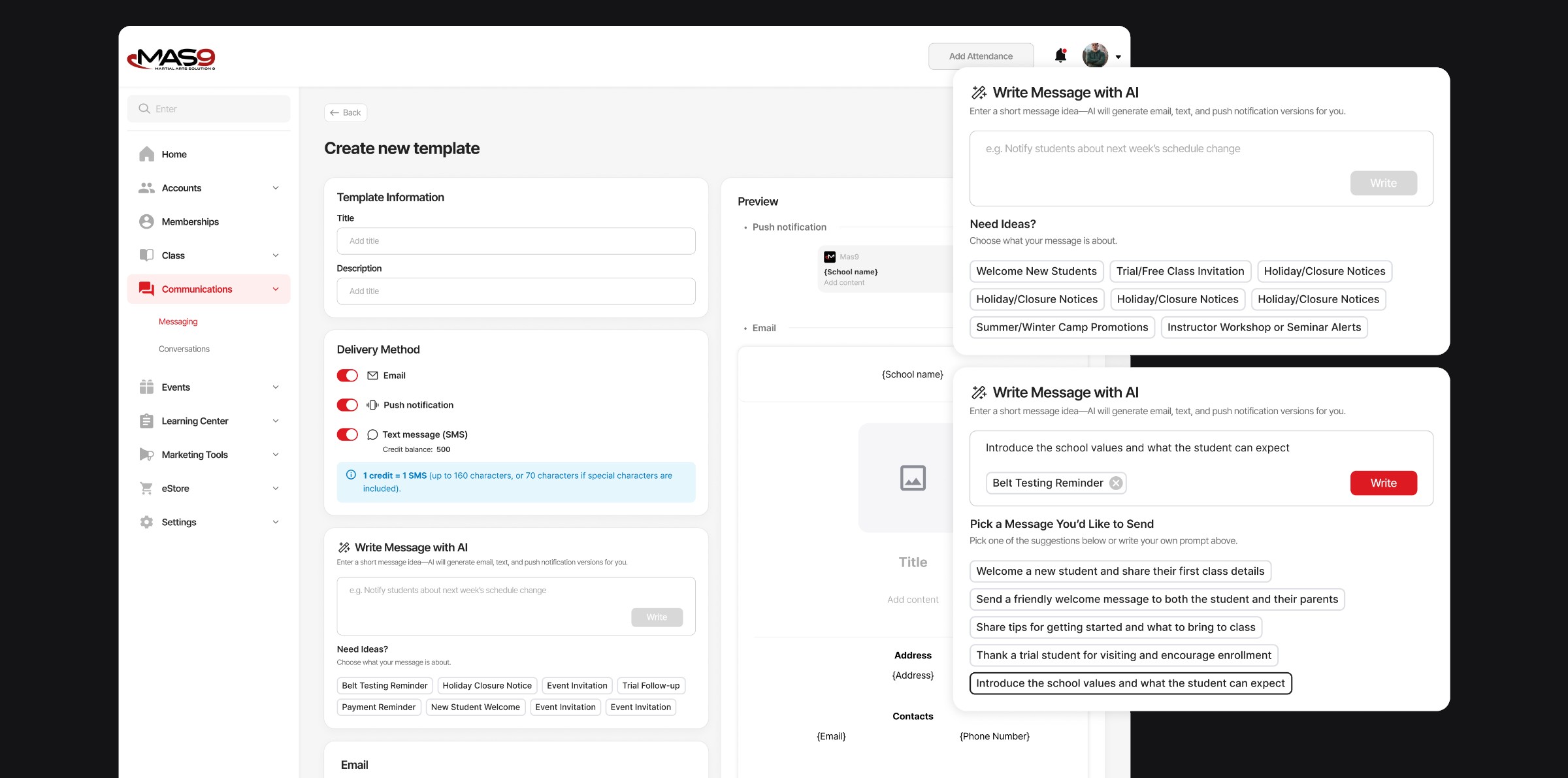
Rather than adding an open-ended AI chatbot, I explored a more structured assistant that could use the message purpose and channel as inputs before generating a draft.
Design Principles
01
Reduce blank-page frictionNever require users to start from an empty prompt.02
Provide context before generationDefine the message purpose and channel first.03
Keep users in controlAI drafts; users review, edit, and send.Solution
Structured AI Content Assistant
01
Category-first selectionStart with common communication scenarios instead of an open-ended prompt.02
Message startersProvide common message types within each category so admins can begin without writing from scratch.03
Editable placeholdersBracketed placeholders highlight the details admins need to replace, making generated drafts easy to personalize manually.Learnings & Next
What I Learned
Designing the AI assistant reinforced that new technology works best when it fits into an existing mental model. Rather than asking operators to learn prompting, I structured the experience around how they already think about communication: purpose first, then message.
Next Iteration
I would test whether the topic-selection step needs stronger guidance, especially as the number of categories grows.
Next project
Designing and Building the MAS9 Product Website